
Settings page overview
The 'Settings' tab of the commissioning interface groups every site-wide setting of the SmartgridOne Controller. This page lists all the sections of the settings page, in the order in which they appear, and links to the chapter that explains each of them.
Note
The settings of individual devices (nominal power, battery capacity, priority, ...) are not on the settings page. They are changed from the "Devices" tab, see Device settings.
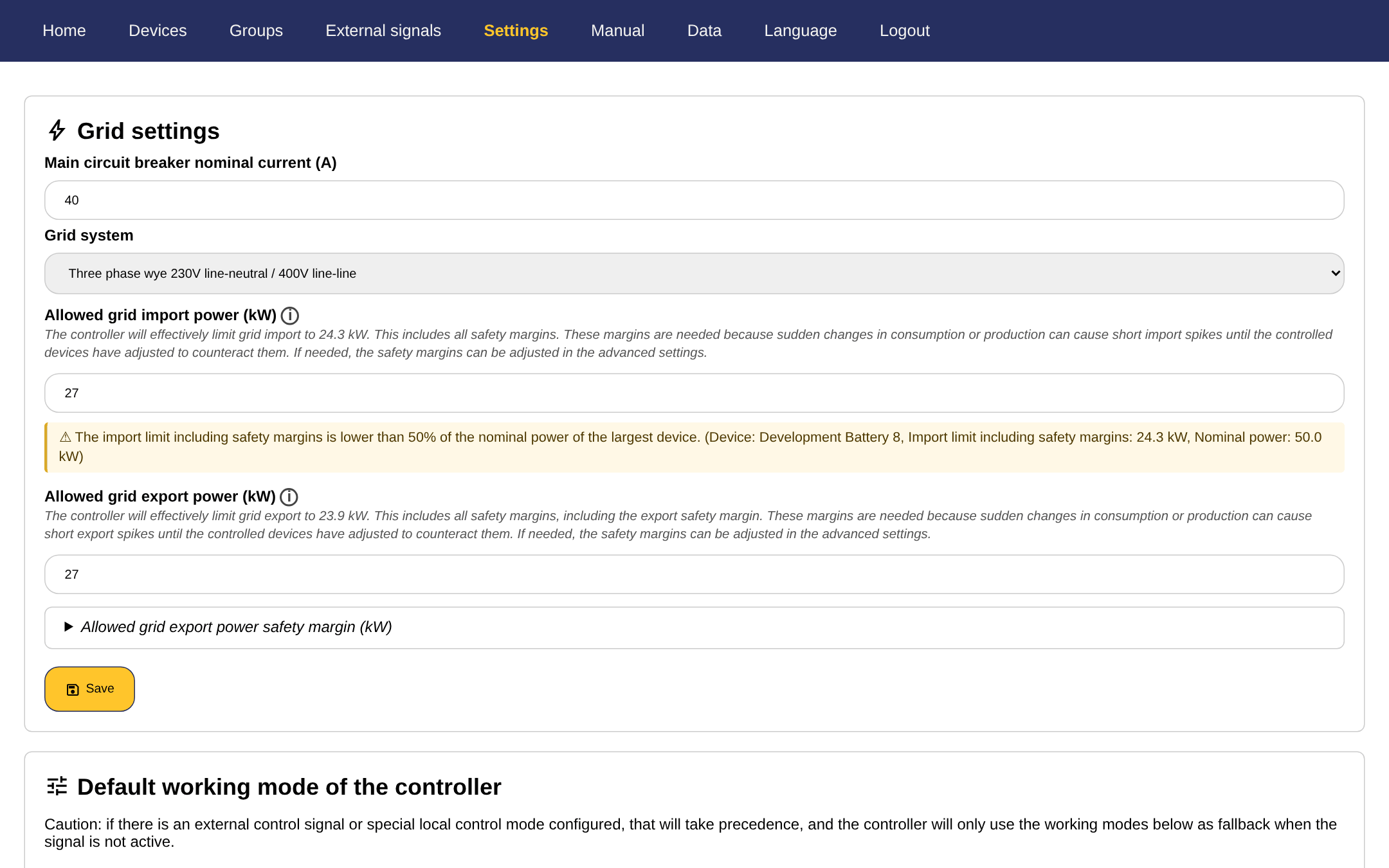
| Section | What it does | Read more |
|---|---|---|
| Grid settings | The main circuit breaker current, the grid system (single or three phase) and the allowed grid import and export power. | Grid limits |
| vZEV (Energy Community) | Only shown on sites in Switzerland: set up or manage the virtual energy community this SmartgridOne Controller is part of. | vZEV |
| Default working mode of the SmartgridOne Controller | The local control mode per device type (storage, production, EVs, heat pumps, hot water boilers and on/off loads), with their thresholds and sub-settings. | Setting control modes |
| Special local control modes | Control modes for specific, less common situations, such as green certificates, genset control with relays or excluding devices from control. | Special local control modes |
| Change password | The password of the local 'admin' user. | Admin password and two-factor authentication |
| Two-Factor Authentication (2FA) | Enable or disable a second factor for logging in to the commissioning interface. | Admin password and two-factor authentication |
| Location | The address of the installation, used for the weather forecast. | Location / address |
| PV installation details | The peak power, tilt and orientation of the solar panels, used for the production forecast. | PV panel configuration |
| Network usage | The data used in the last 30 days, the data saver and an internet connectivity test. | Network settings and Data usage |
| Network configuration | The mode and IP configuration of the ethernet ports and the APN of the mobile network. | Network settings |
| Remote service connection | The connection that allows remote diagnostics, updates and support, and the port it uses. | Network settings |
| Backup settings and Restore backup | Download a backup file of all the settings, or restore one. | Backup |
| Check for updates | Check for a new software version, install it, and enable or disable automatic updates. | Software updates |
| Automatic reboot period | Reboot the SmartgridOne Controller automatically every so many days. | Reboot |
| Reboot | Reboot the SmartgridOne Controller now. | Reboot |
| Factory reset | Erase all settings and devices. | Factory reset |
| Prediction data reset | Erase the historic energy data of the forecasting model. | Predictions |
| Email alarms | Get an email when the SmartgridOne Controller repeatedly detects a problem. | Email alarms |
| Advanced settings | Expert settings of the data logger, the control loop, the grid limits, batteries, EVs, PV and reactive power, plus the grid power limit schedule and the state of charge planning. | Advanced settings |
| About | The software version, the licenses and the changelog. | Software version |
Tip
The grid settings, the default working mode, the data saver and the location are also asked during the initial setup wizard that appears the first time you open the commissioning interface. Everything you enter there can be changed later on the settings page.
Note
Cloud controllers
On a cloud SmartgridOne Controller some sections are not applicable and are not shown, for example the network configuration, the remote service connection, the reboot and the factory reset. In multi-site mode, the site-specific sections (grid settings, working modes, location, PV details) are managed per site instead.