
Special local control modes
Special local control modes are control modes for specific, less common situations: for example keeping inverters that receive green certificates at full power, switching a generator on with a relay when the batteries run empty, or excluding a few devices from control. They run locally on the SmartgridOne Controller and do not talk to an external party, but they behave like external signals: they override the default working mode of the devices they are applied to, and they take a place in the priority list of the external signals.
Available modes
Two more special local control modes are documented under the external signals, because they serve test purposes or belong with the price based signals:
- Diagnostic tests: charge and discharge test curves for batteries.
- EPEX SPOT solar curtailment: curtails PV inverters when the day-ahead price drops below a threshold.
Managing the special local control modes
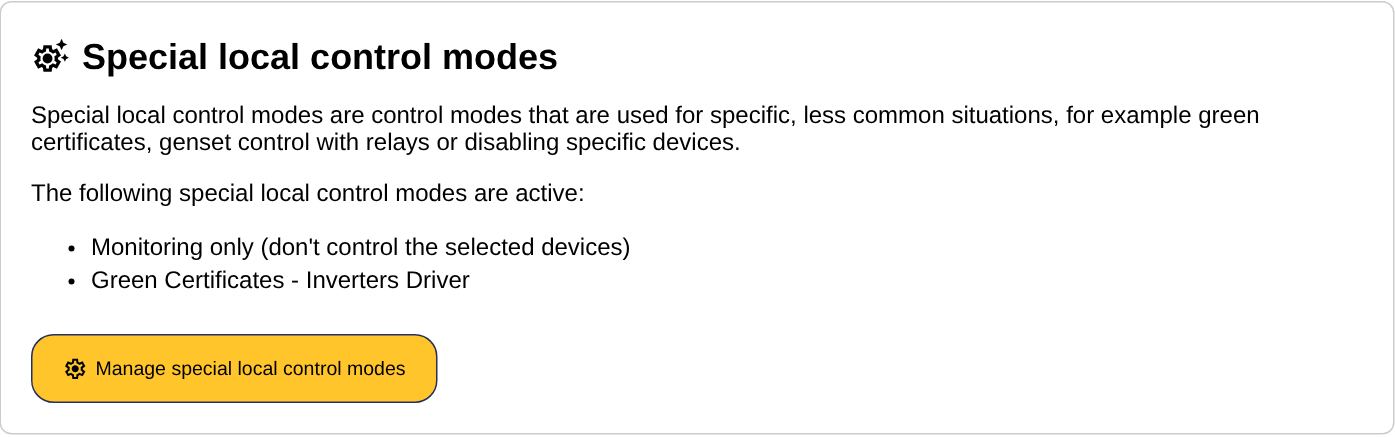
- Go to the 'Settings' tab of the commissioning interface and scroll to the section "Special local control modes". It lists the modes that are active on this site, and whether they are paused.
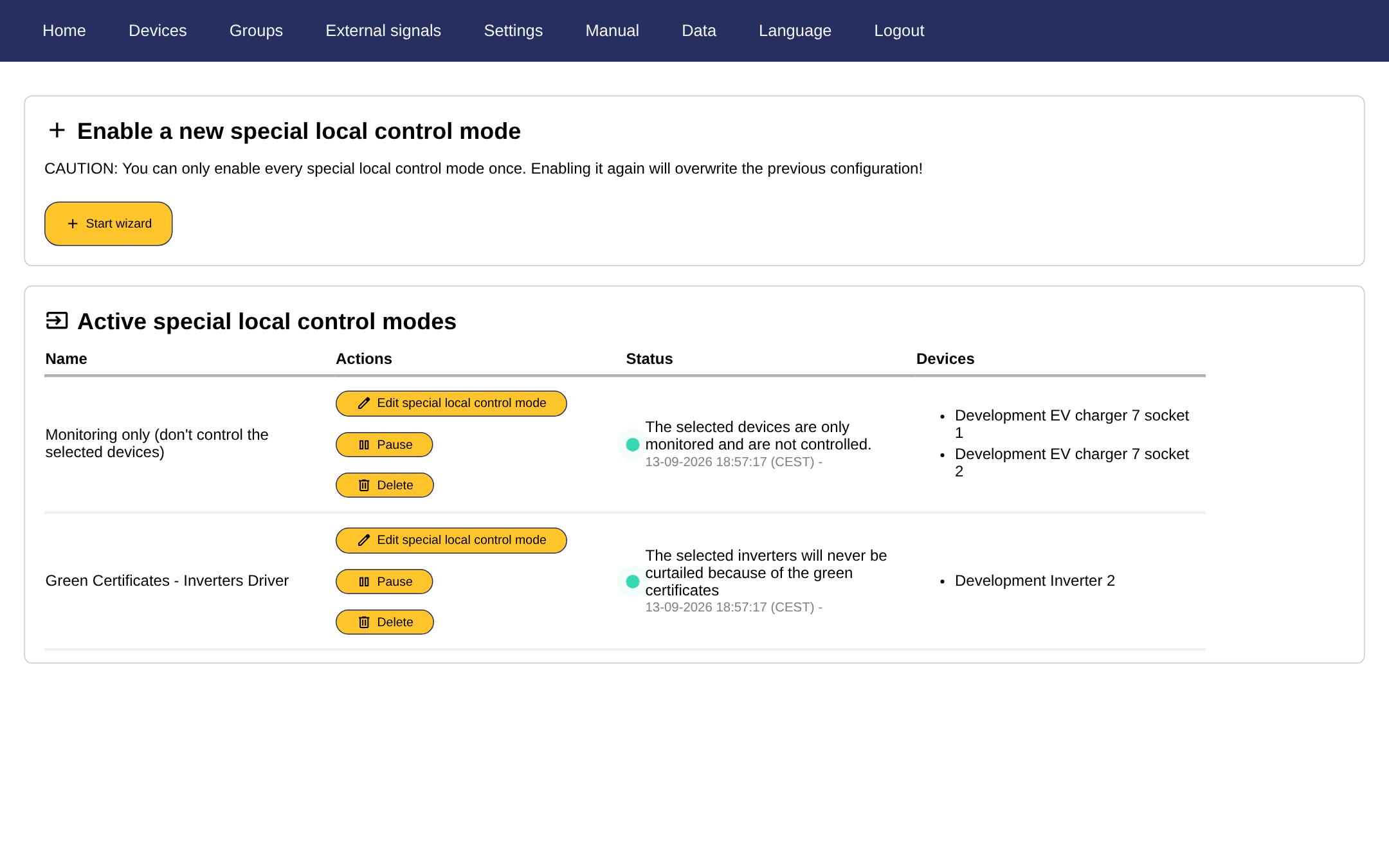
- Click "Manage special local control modes". The page that opens shows the active modes with their devices and status, and lets you pause, resume, edit or delete each of them.
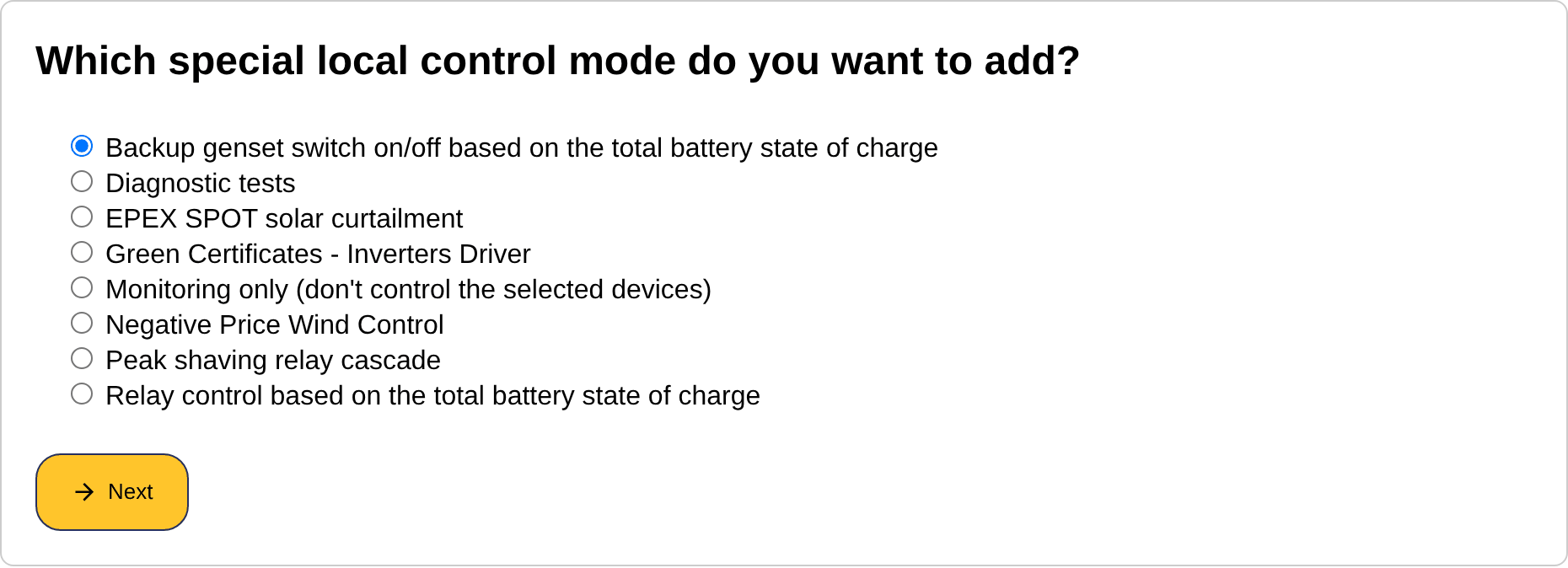
- To add a mode, click "Start wizard" under "Enable a new special local control mode", choose the mode from the list and click "Next".
- Fill in the inputs of the mode, if it has any (for example the state of charge thresholds of a relay mode).
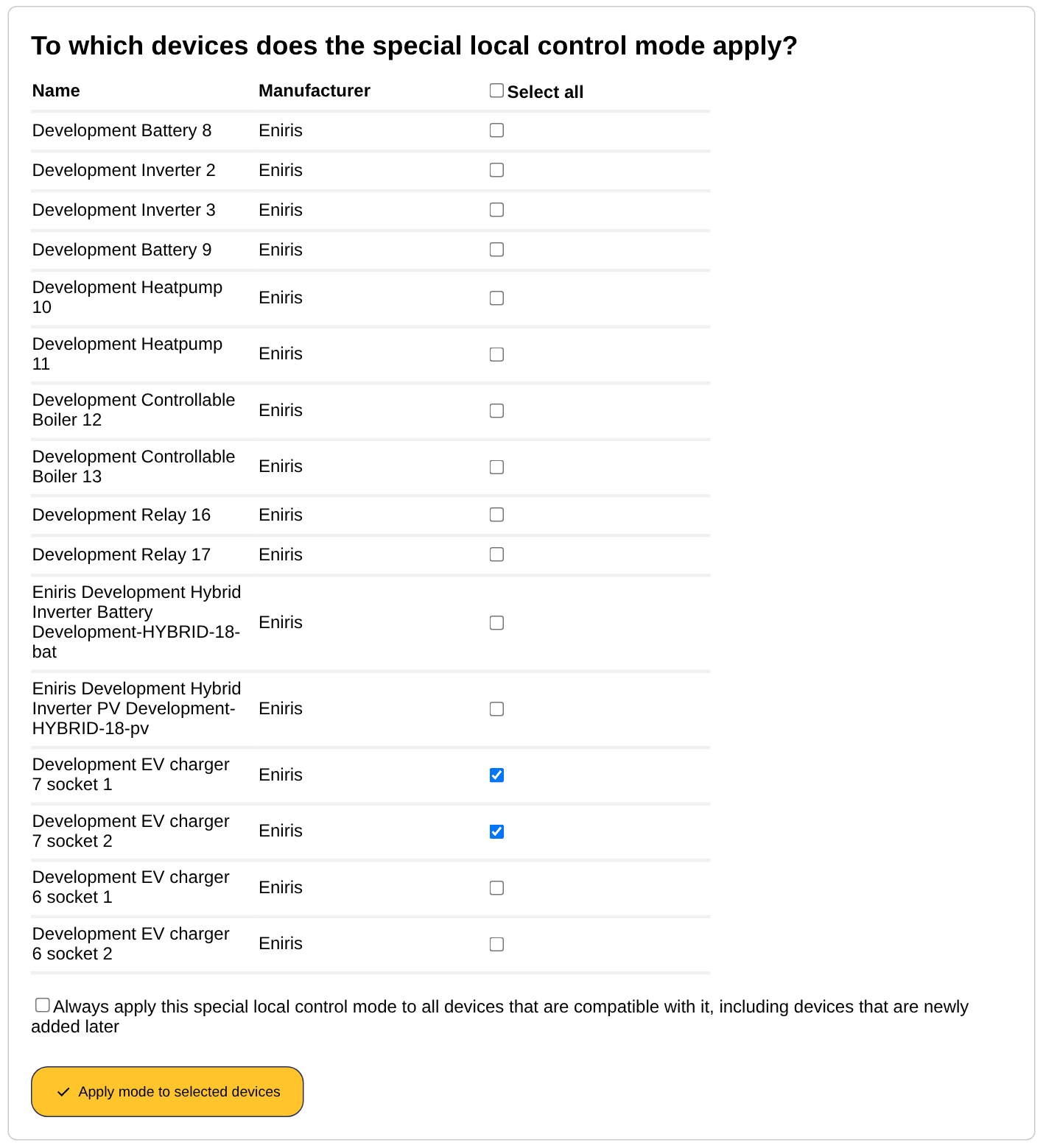
- Select the devices to which the mode applies. By default "Select all" and "Always apply this special local control mode to all devices that are compatible with it, including devices that are newly added later" are ticked, so the mode covers every compatible device, now and in the future. To apply the mode to specific devices only, untick both options and tick the devices one by one. Click "Apply mode to selected devices".
Tip
The same modes can also be reached from the 'External signals' tab: click "Start wizard", choose the category "Special local control modes", choose the provider (usually "Generic" or "Eniris") and then the mode. Both routes lead to the same configuration.
Caution
Every special local control mode can only be enabled once per site. Enabling it again overwrites the previous configuration. Use "Edit special local control mode" on the management page to change the devices of an active mode.
Priority towards external signals
A device can be part of several external signals and special local control modes at the same time. The signal that is highest in the priority list of the 'External signals' tab wins for that device. Special local control modes share this list with the external signals, and their priority is changed there: the management page of the special local control modes only shows them, in the order of their priority, without the arrows.
Pausing a mode
"Pause" on the management page temporarily suspends a mode without deleting its configuration: the devices fall back to the next signal in the priority list, or to the default working mode. "Resume" activates it again. A paused mode is marked "(Paused)" on the settings page.