
Email alarms
The SmartgridOne Controller can send an email when it repeatedly detects a problem on the site. An alarm is only sent when the issue persists over time, not for one-off events, so that a short communication hiccup does not trigger a mail.
Configuring the email alarms
Go to the 'Settings' tab of the commissioning interface and scroll to the section "Email alarms".
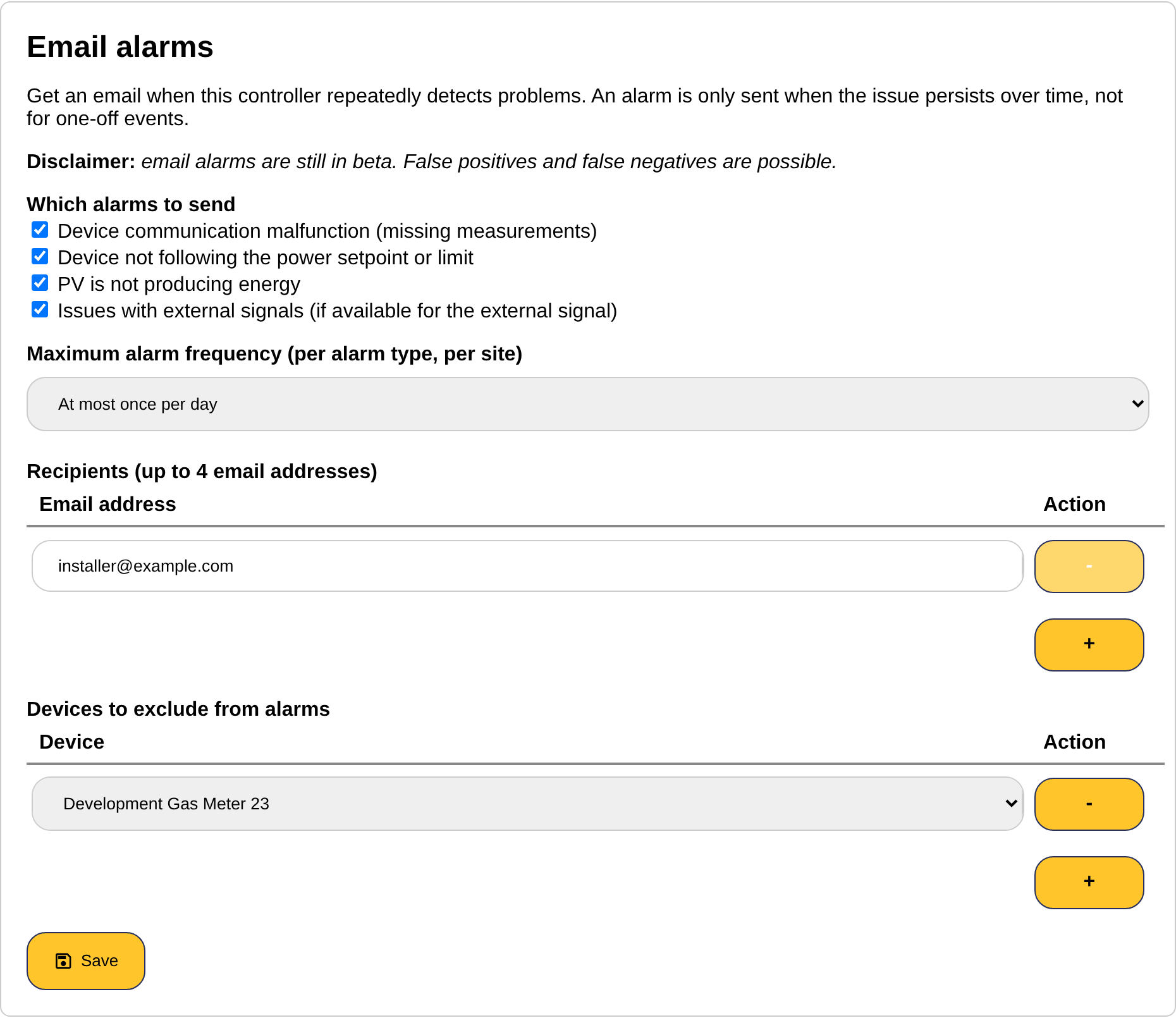
Which alarms to send
| Alarm | When it is sent |
|---|---|
| Device communication malfunction (missing measurements) | A device repeatedly does not answer, so its measurements are missing. See also Troubleshooting: device communication. |
| Device not following the power setpoint or limit | A controlled device persistently delivers another power than the setpoint or the limit the SmartgridOne Controller sends it. See also Troubleshooting: control issues. |
| PV is not producing energy | A PV installation does not produce during the day, while production is expected. |
| Issues with external signals (if available for the external signal) | An external signal reports a problem, for example a lost connection to the provider. Only for the signals that report their status. |
Maximum alarm frequency
The maximum frequency applies per alarm type and per site: at most once per hour, once per day or once per week. Once an alarm of a type has been sent, the same type is not sent again until this time has passed, even if the problem persists.
Recipients
Up to four email addresses can receive the alarms. The plus button adds a row, the minus button removes one.
Devices to exclude from alarms
Devices that are known to be unreliable, or that are intentionally switched off for a while, can be excluded from the alarms. Select the device from the dropdown (up to 20 devices); excluded devices do not trigger the device communication, setpoint and production alarms.
Click "Save" to store the configuration.