
Master/slave inverters
Some inverters can operate in parallel as a group, in which one inverter is the master and the others are its slaves. The master receives the setpoint of the whole group and distributes it over its slaves itself. The SmartgridOne Controller then sends its commands only to the master, while it keeps reading out every inverter of the group individually.
Use this when the inverters are wired in parallel and the manufacturer requires or recommends that the group is steered through one of them. Only devices whose driver supports master/slave operation are offered on the groups page. Contact SmartgridOne if your inverters are not offered.
How the group is controlled
- The SmartgridOne Controller plans the group as one device with the nominal power of all its members together, and sends the resulting setpoint to the master. The slaves receive no setpoint of their own: they are released, so that they follow their master.
- Every inverter is still read out on its own, so the app and the data pages keep showing the power, the energy and the state of charge of every inverter.
- A test on the device test page of a member of the group goes through the master: the other members are put on a neutral value during the test, and the value shown is the total of the group.
- The master and its slaves must be of the same device type (for example all hybrid inverters), and use the same driver or compatible variants of one driver (for example the Modbus RTU and the Modbus TCP variant of a driver).
- A device can be the slave of one master only, and a slave cannot be the master of another group. To move a slave to another master, remove it from its current configuration first.
Mode
Some drivers support more than one way to operate the group. In that case, a "Mode" dropdown appears after the master is selected; when the driver supports a single mode, nothing has to be chosen.
| Mode | Behaviour |
|---|---|
| Total setpoint to the master | Every device is monitored on its own. The master receives the setpoint of the whole group and distributes it over its slaves. |
| Lumped through the master | The master monitors and controls its slaves on its own, and reports the total of the whole group. |
| Lumped monitoring, individual setpoints | The group is monitored through the master, but every device receives its own setpoint. |
Adding a configuration
- Go to the "Groups" tab of the commissioning interface and scroll to the section "Master/slave inverters" at the bottom of the page. It lists the current master/slave configurations.
- Under "Add master/slave configuration", select the master device. The list of possible slaves is narrowed down to the devices that can be a slave of that master.
- If a "Mode" dropdown is shown, choose the mode.
- Tick the slave devices.
- Click "Set configuration". The SmartgridOne Controller restarts its control services, so it takes a moment before the group is controlled as such.
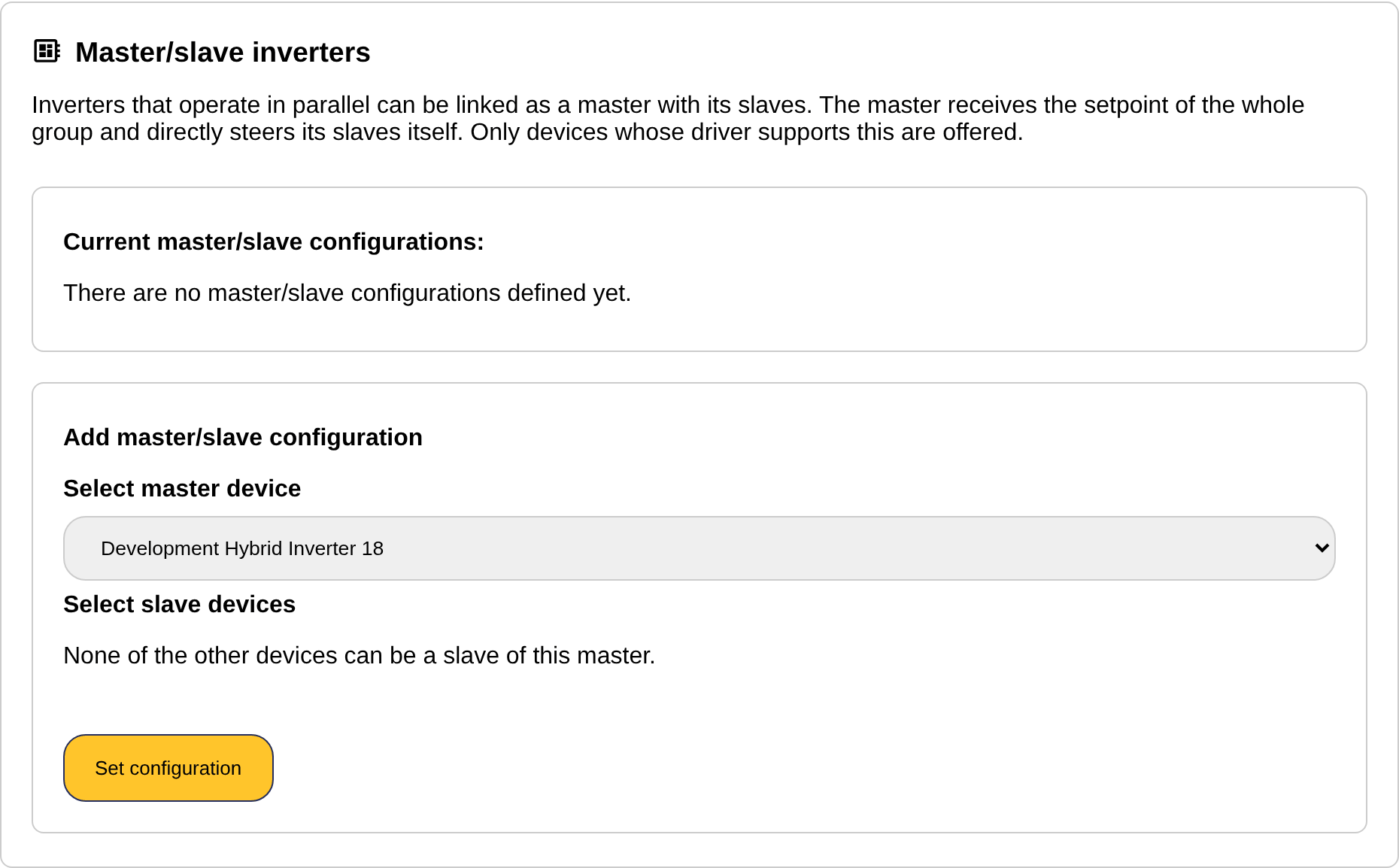
Devices that cannot be added (for example because they are already the slave of another master) are skipped, and a message names them.
Changing or removing a configuration
- To add a slave to an existing group, select the same master again, tick the extra slave(s) and click "Set configuration". The slaves that were already in the group stay in it.
- A slave is removed from its configuration with "Remove slave" in the table of current configurations. Removing the last slave removes the whole configuration, and the inverters are controlled individually again.
- A configuration whose master was removed from the SmartgridOne Controller is shown with "missing device": remove its slaves to clean it up.
Related
- Grouping devices: the groups page itself.
- DC-Linking Inverters and Batteries: linking a battery or battery management system to the inverter(s) it belongs to, also on the groups page.