
Ampowr växelriktare

Ampowr-växelriktare
Stödda enheter
| Device Type | Variants | Modbus TCP (Ethernet) | RS485 |
|---|---|---|---|
| Ampihome | Enfas | ❌ | ✅ |
| Trefas | |||
| Hybrid | ✅ |
Kablage
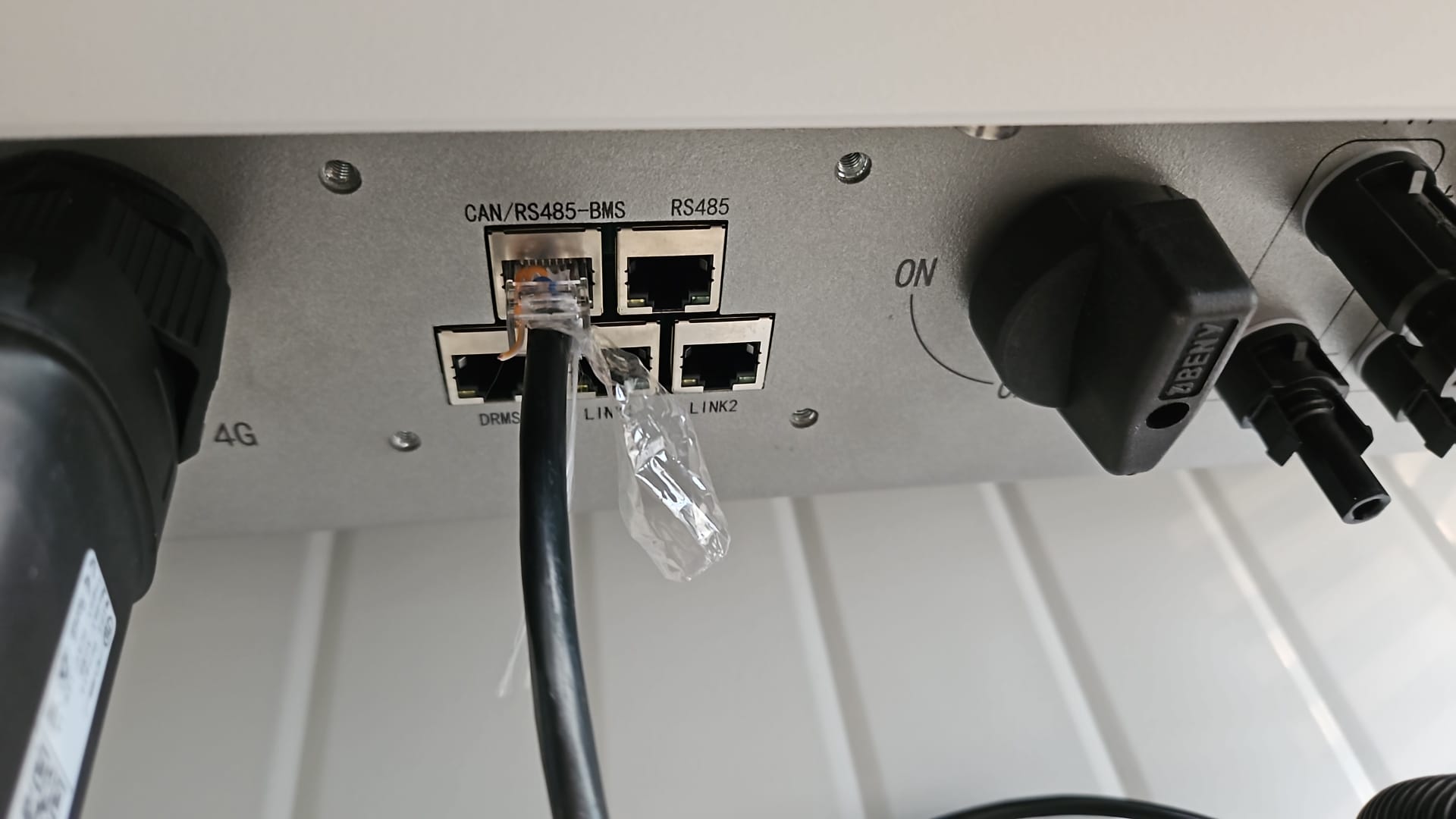
SmartgridOne Controller och Ampihome-växelriktarna kommunicerar via RS485 eller Ethernet.
Ethernet
För korrekt ethernet-kablage: Följ riktlinjerna för ethernet-kablage.
RS485
Info
RS485 Wiring
- For correct RS485 wiring: Follow the guidelines for RS485 wiring.
- If the wiring shown in the table below is incorrect, please let us know.
- There is no general consensus in the industry about the usage of A and B for the RS485 polarity, so it may be counterintuitive and opposite of what you might expect for some devices.
| Device | SmartgridOne Controller model OM1 | SmartgridOne Controller model IG8 | RS485-USB converter | RS485-Ethernet converter |
|---|---|---|---|---|
| Pin 7 (White-Brown) | RS485 A | RS485_POS | RS485 A | TX+ |
| Pin 8 (Brown) | RS485 B | RS485_NEG | RS485 B | TX- |
| N/A | RS GND | GND | Not available | G |
Varning
Varning
Jag kan inte hitta min Ampihome-växelriktare För Ampowr hybrid-växelriktare är standardbussadresserna 247 för Modbus RTU och 255 för Modbus TCP. SmartgridOne Controller skannar efter enheter på alla adresser från 1 till 255. Därför kan det ta en stund att skanna efter enheter.
TIPS: Om du känner till bussadressen för din växelriktare kan du ställa in den i SmartgridOne Controller för att snabba upp skanningen.
Konfiguration
Ampihome enfas
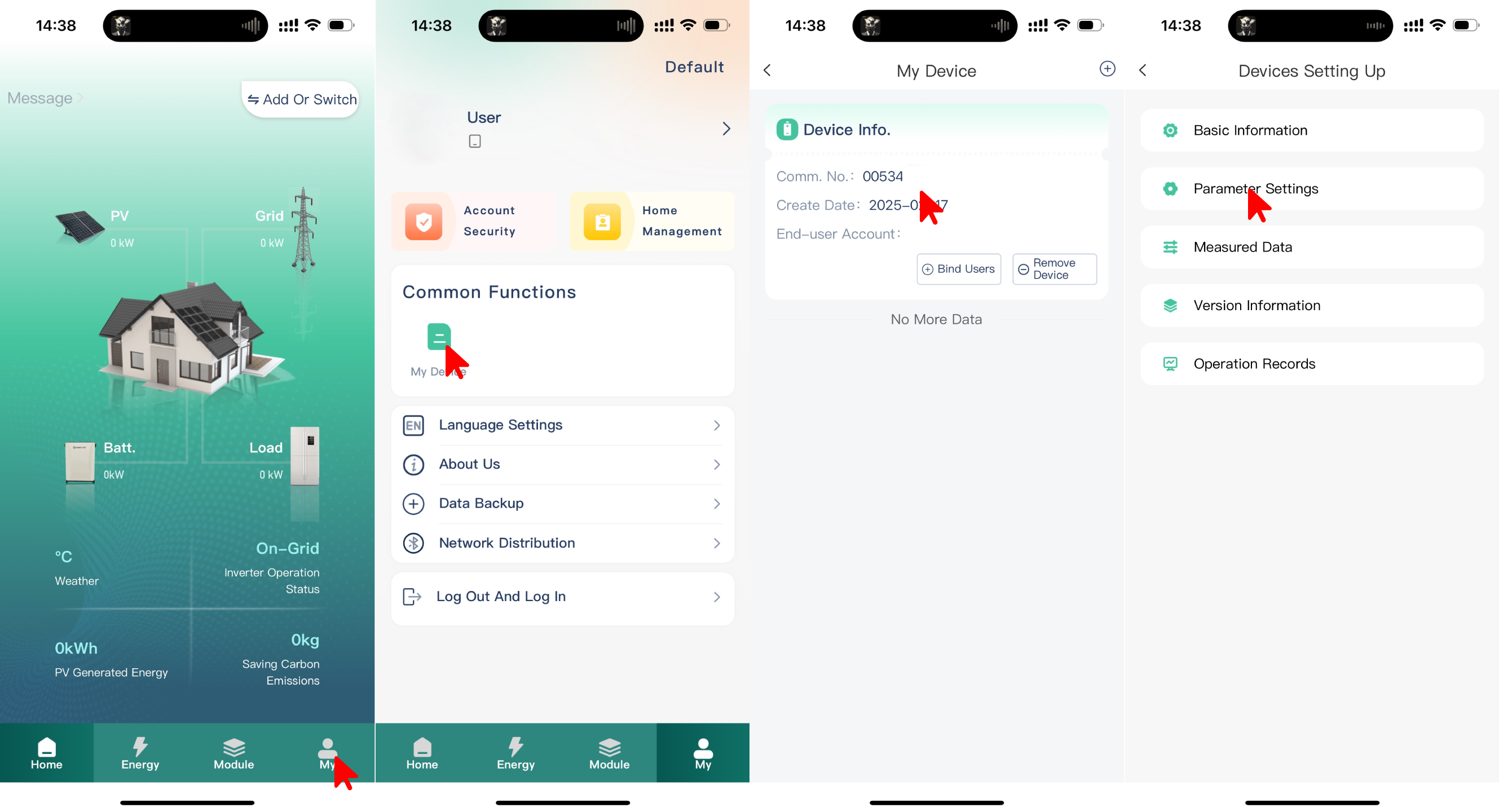
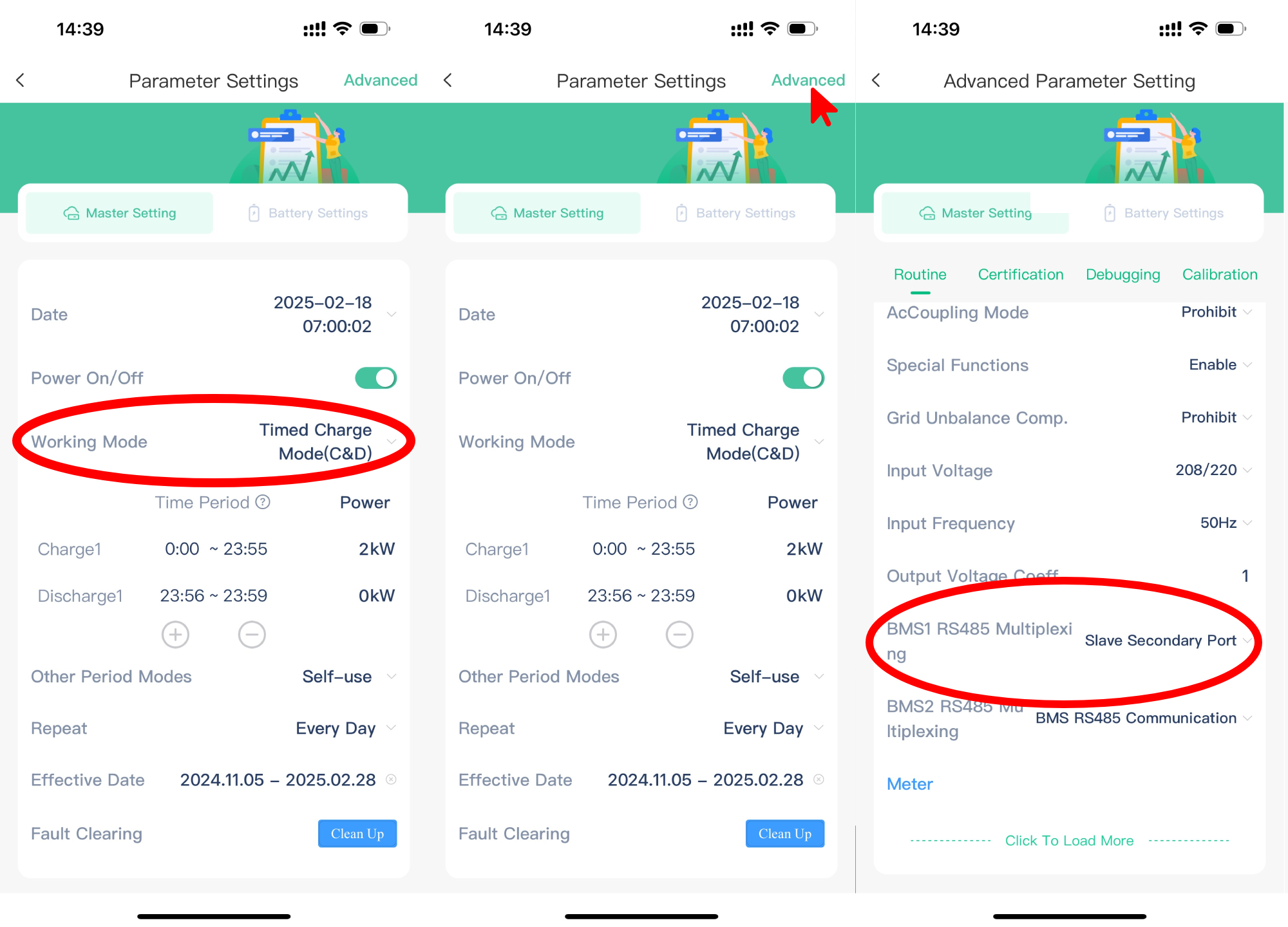
Ampihome enfas måste ställas in på Slave Secondary Port:
- Öppna ESS Link-appen
- Välj "My" nere till höger
- Välj "My Device"
- Välj på enhetens "Comm No."
- Välj "Parameter Settings"
- Ställ "Working Mode" till "Timed Charge Mode (C&D)"
- Välj "Advanced" uppe till höger
- Ställ "BMS1 RS485 Multiplexing" till "Slave Secondary Port"
Varning
NOTE: RS485 Device Addresses
- You MUST give each device on the RS485 bus a unique address. Check the manual of the device on how to do this.
- Use lower addresses first (1, 2, ...) because the SmartgridOne Controller will find them faster!
- For each device, it is generally recommended to stick with the factory default baud rate, parity, and stop bits. The SmartgridOne Controller will scan on those first.