
Dynamic contract (NL)
While the “Advanced” configurator could also be used to configure a Dutch dynamic energy contract, there is a simpler option for this specific contract type which is faster and less complicated, helping to avoid manual input errors.
This option is available for any controllers located in the Netherlands. If a controller is located in the Netherlands but the option is not visible, it is recommended to check whether its location is correctly configured.
Figure: Energy contract settings for a controller located in the Netherlands and a currency set to EUR, with “Dynamic” selected.
Configuration
With the “Dynamic” card option selected, tap the “Provide contract details” button to start configuring.
Select the energy provider corresponding to the contract which needs to be configured. Once the energy provider is selected, feed-in fees (one for “binnen salderen” and another for “buiten salderen”), as well as the price trading interval appear, prefilled with the values currently corresponding to that specific energy supplier.
Carefully validate if the prefilled values and price trading interval match with the energy contract (the contract should mention these fees). The fees should directly match the numbers provided by the energy provider, i.e. including VAT, but excluding the fixed energy taxes. The tax is automatically added by the controller.
Configuration of Easy Energy dynamic contract as of April 28th, 2026.
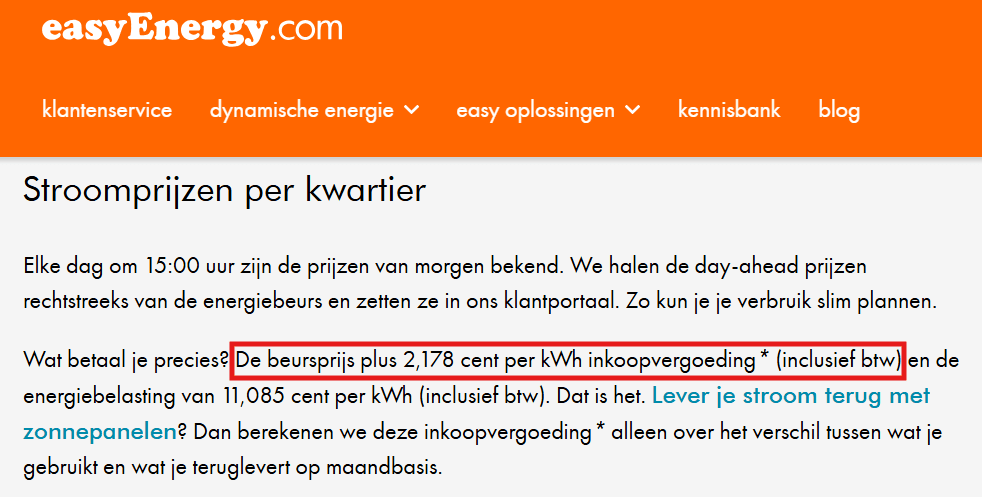 Figure: Feed-in fee as communicated by Easy Energy on April 28th, 2026. Note that this matches with the automatically provided prices.