

Estaciones de Carga EV Teltonika
Dispositivos Compatibles
| Device Type | Variants | Modbus TCP (Ethernet) | RS485 |
|---|---|---|---|
| TeltoCharge | 7.4kW/11kW/22kW | ✅* | ✅ |
Advertencia
Advertencia
TCP solo está disponible para la versión EVC2 o cargadores EV de generación más reciente.
Conexión
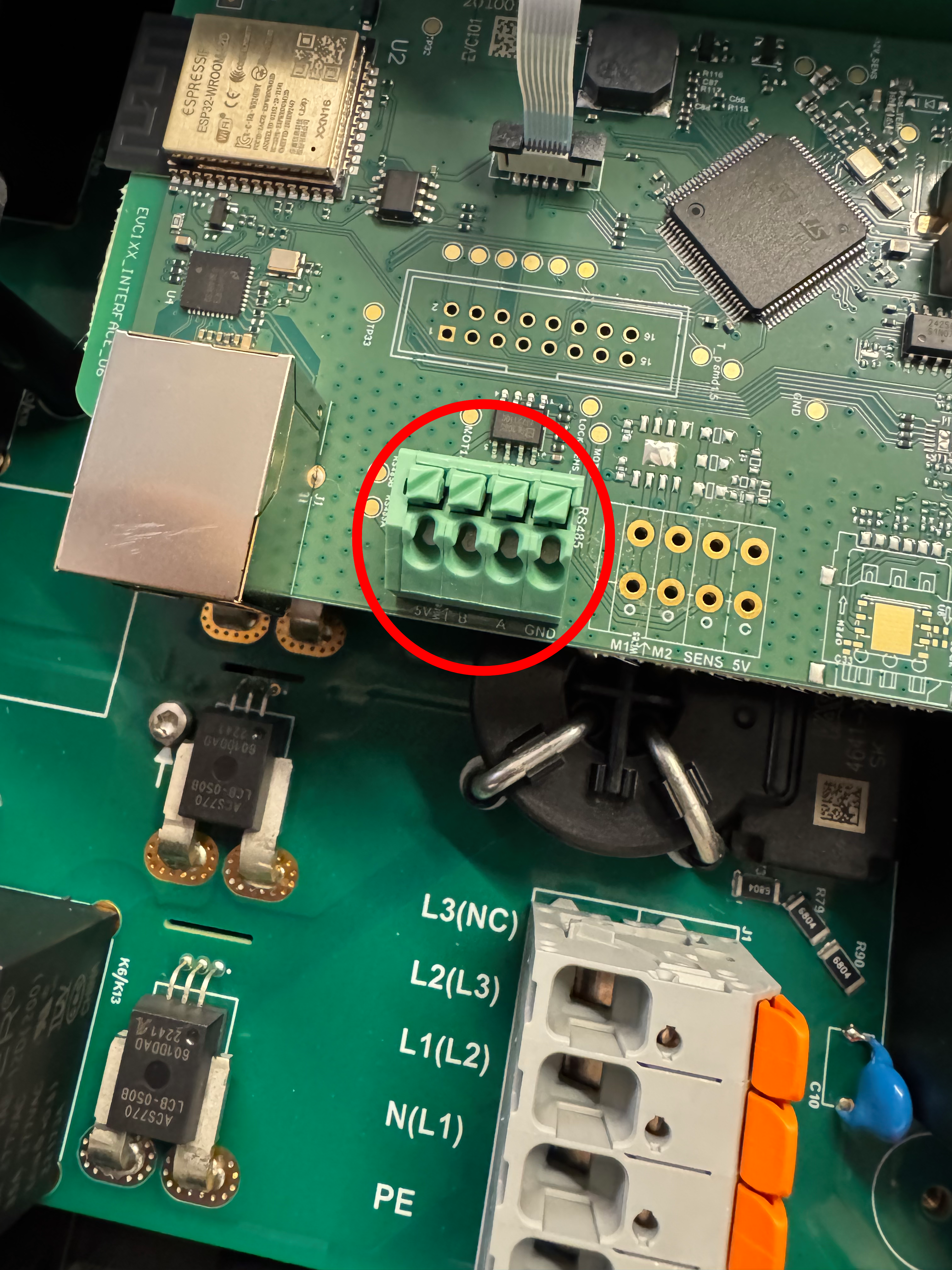
La comunicación entre el SmartgridOne Controller y el TeltoCharge opera mediante un bus serial RS-485 o Modbus TCP.
Info
RS485 Wiring
- For correct RS485 wiring: Follow the guidelines for RS485 wiring.
- If the wiring shown in the table below is incorrect, please let us know.
- There is no general consensus in the industry about the usage of A and B for the RS485 polarity, so it may be counterintuitive and opposite of what you might expect for some devices.
| Device | SmartgridOne Controller model OM1 | SmartgridOne Controller model IG8 | RS485-USB converter | RS485-Ethernet converter |
|---|---|---|---|---|
| RS485 A | RS485 A | RS485_POS | RS485 A | TX+ |
| RS485 B | RS485 B | RS485_NEG | RS485 B | TX- |
| GND | RS GND | GND | Not available | G |
Advertencia
NOTE: RS485 Device Addresses
- You MUST give each device on the RS485 bus a unique address. Check the manual of the device on how to do this.
- Use lower addresses first (1, 2, ...) because the SmartgridOne Controller will find them faster!
- For each device, it is generally recommended to stick with the factory default baud rate, parity, and stop bits. The SmartgridOne Controller will scan on those first.
Configuración
Sigue los pasos a continuación para habilitar Modbus en el TeltoCharge:
- Abre los ajustes del dispositivo en la app de Teltonika.
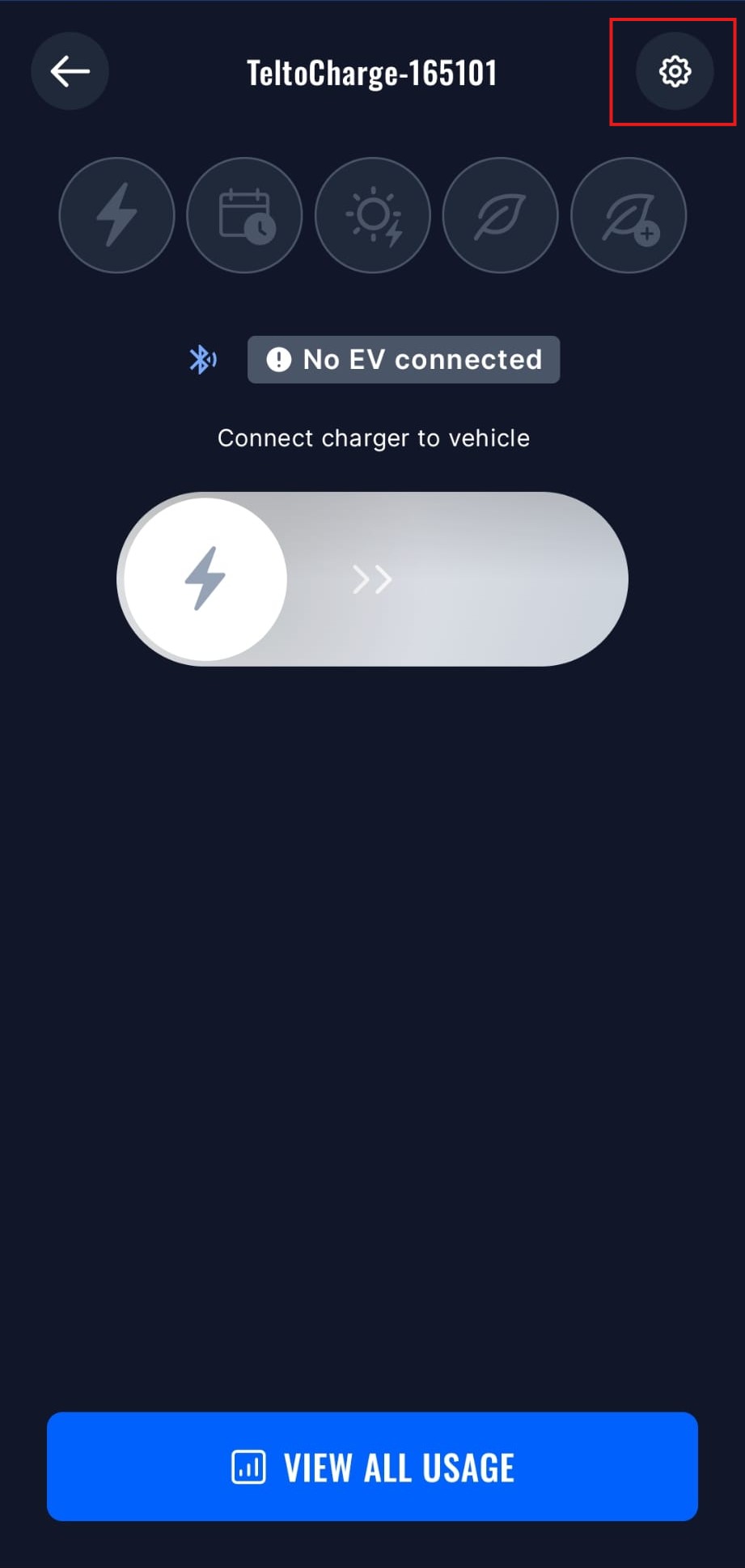
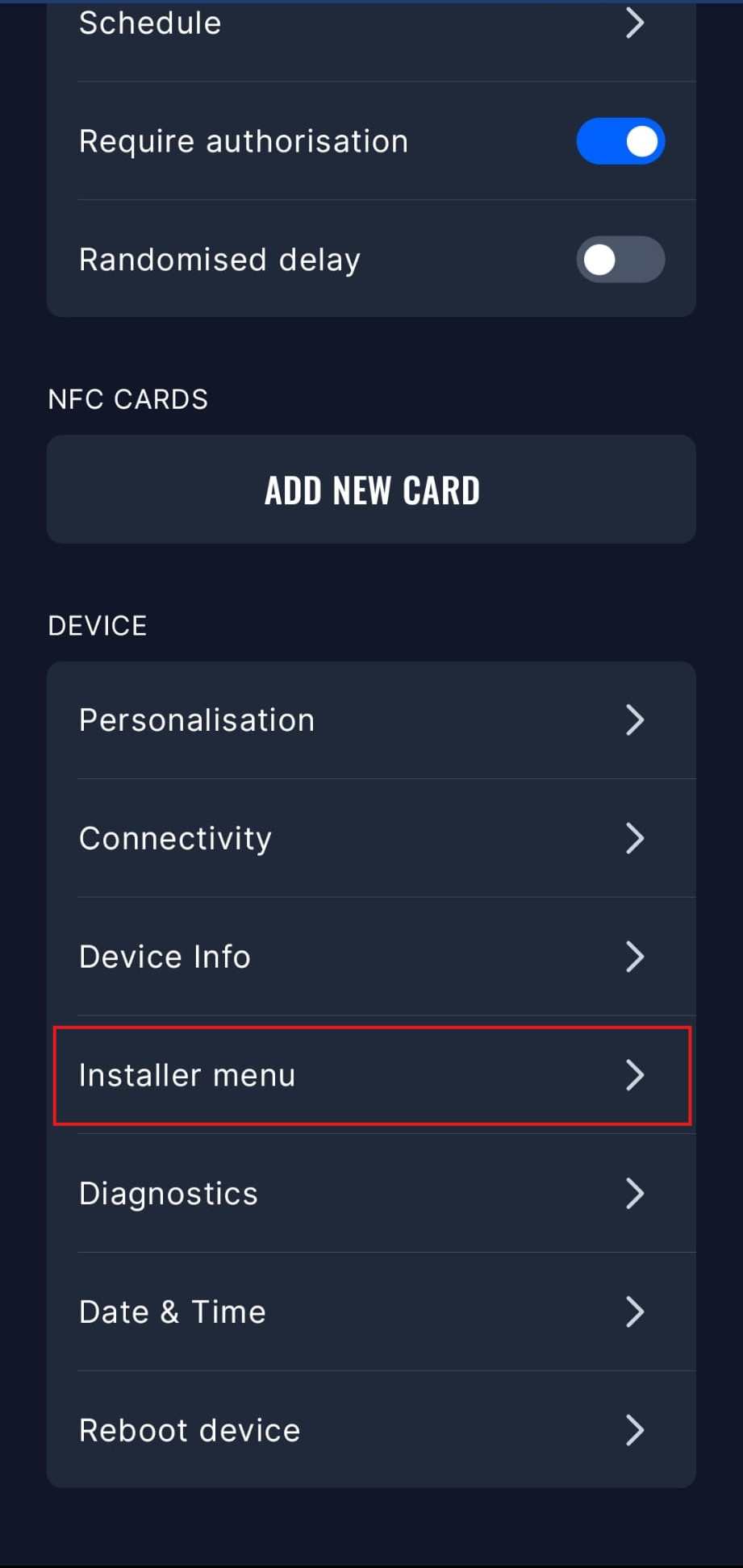
- Abre el Menú del Instalador, necesitarás ingresar el código de instalador para acceder a este menú.
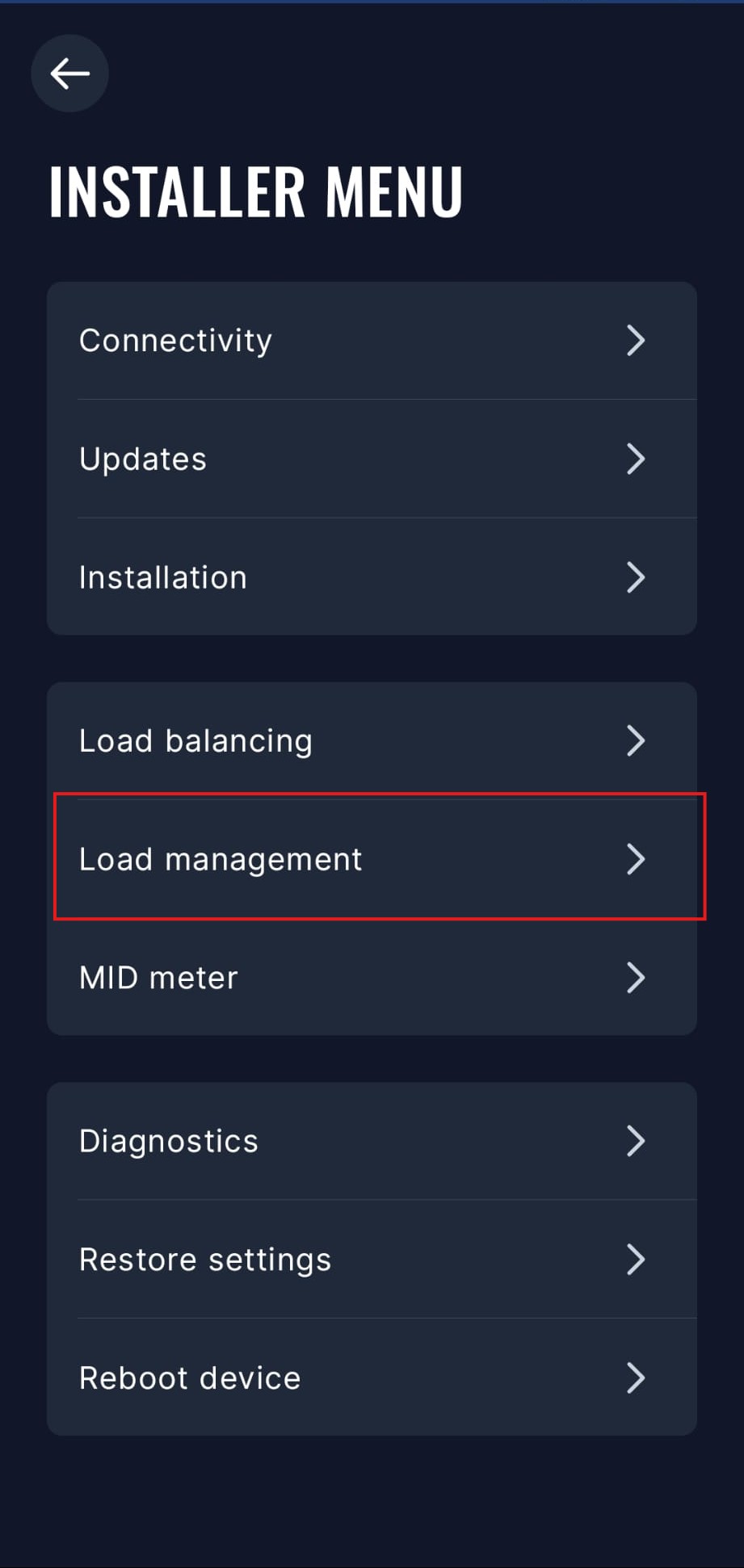
- Abre el menú de Gestión de Carga.
- Selecciona la opción Modbus RTU. Deberás desactivar otras opciones de comunicación para habilitar Modbus RTU.
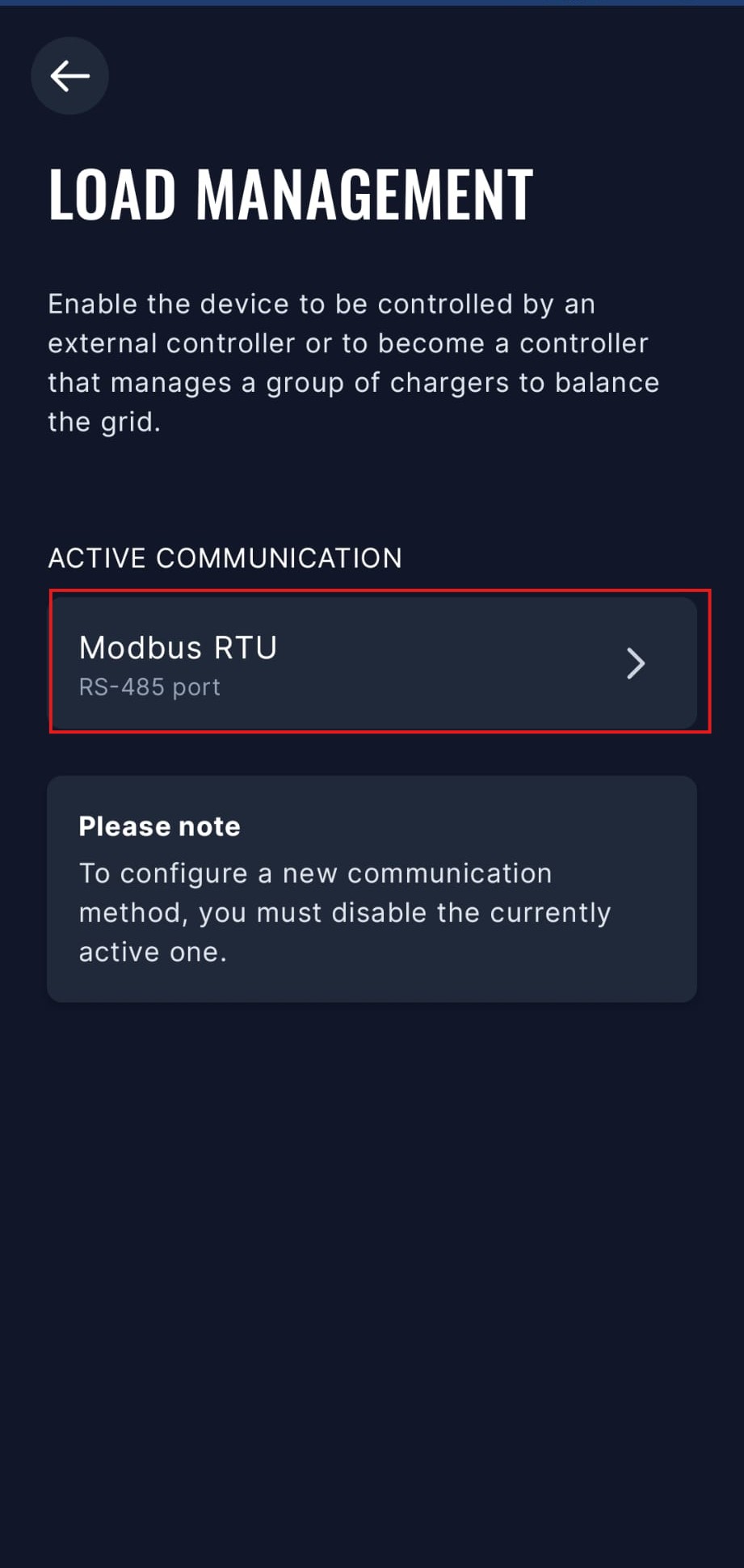
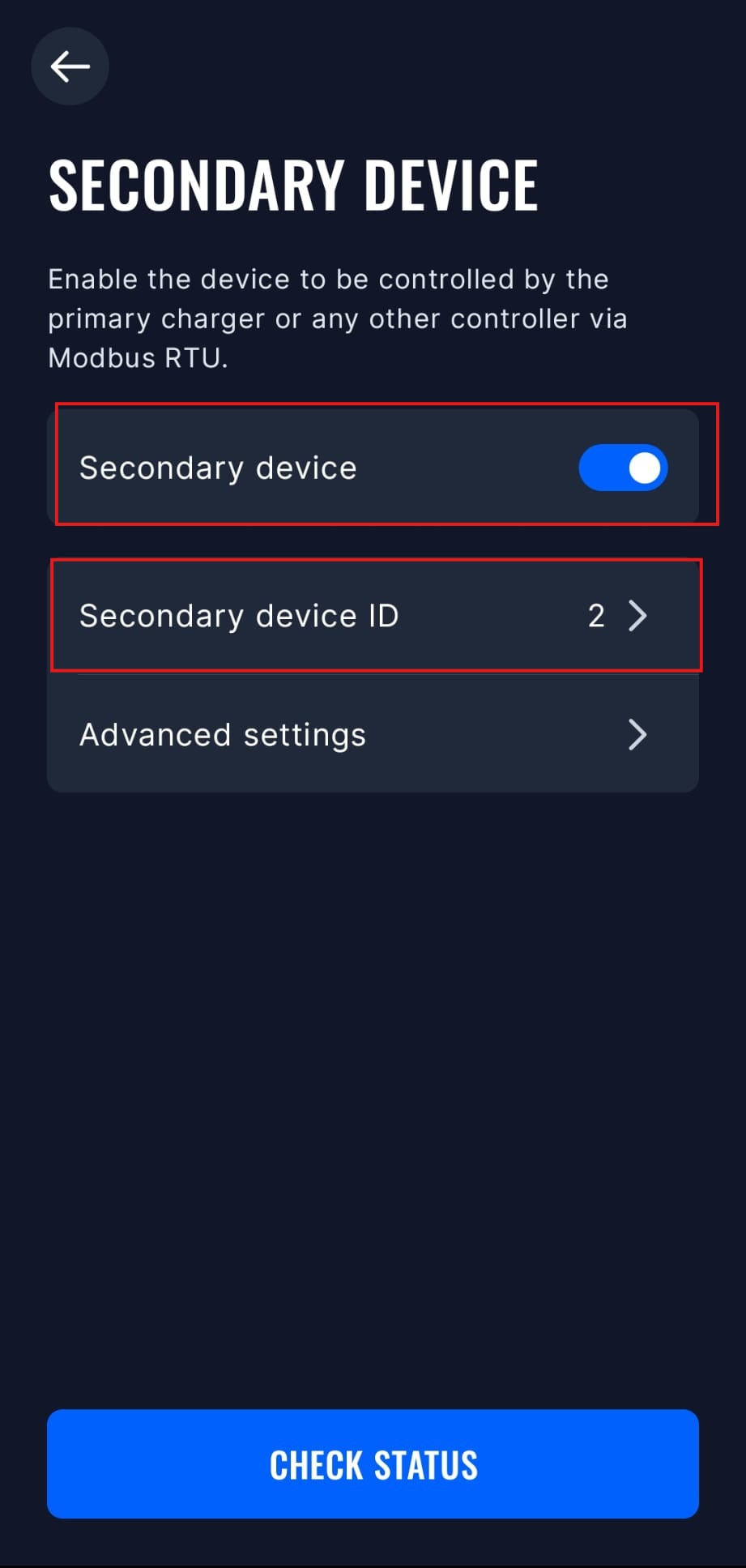
- Selecciona el modo "Dispositivo secundario" y actívalo. También puedes configurar la dirección Modbus y otros ajustes avanzados en este menú, pero la configuración predeterminada debería funcionar bien.
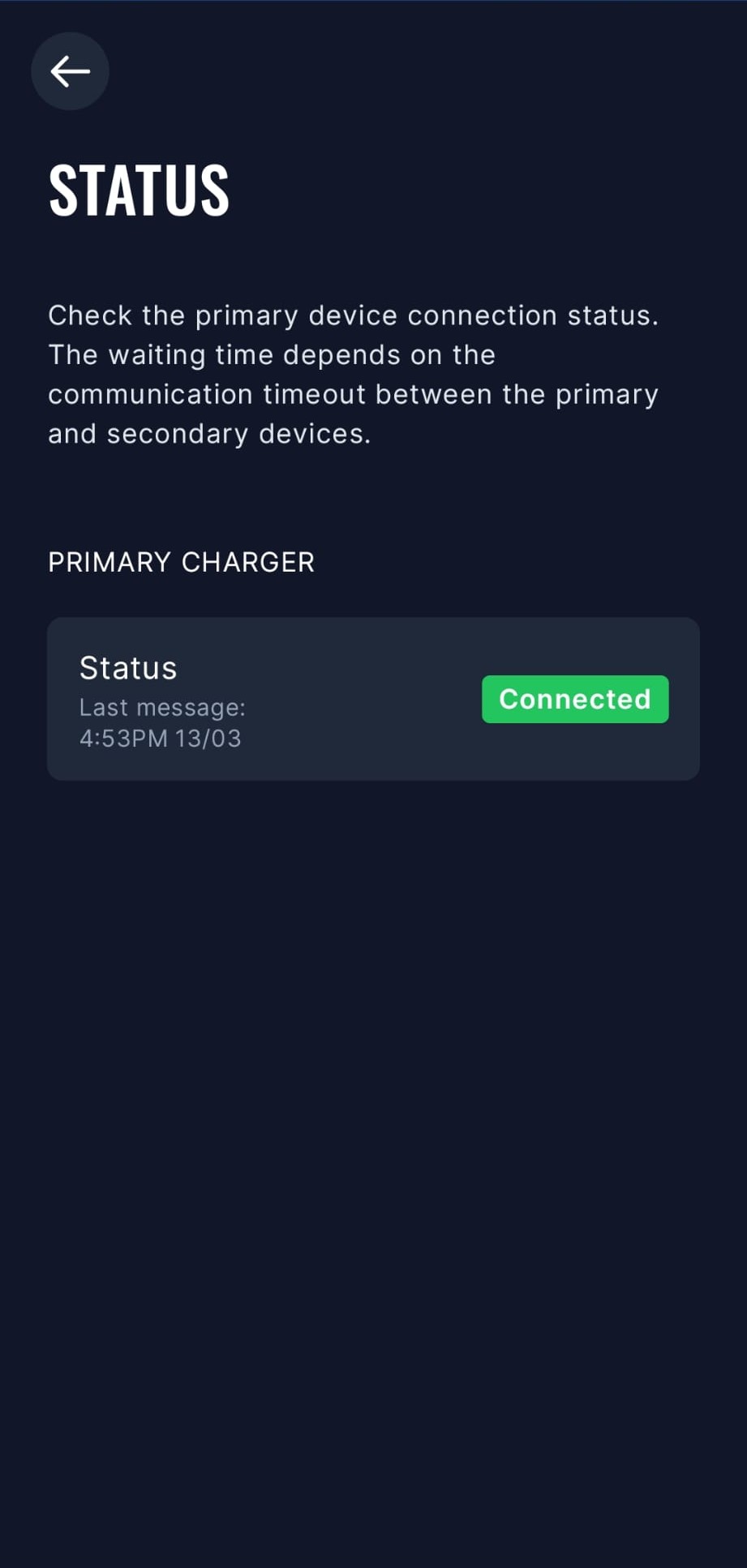
- El SmartgridOne Controller ahora podrá comunicarse con el TeltoCharge vía Modbus RTU. Puedes verificar el estado de la conexión en la app.
Modelos Antiguos
El TeltoCharge debe tener modbus habilitado:
- Abre la app de Teltonika
- Navega a "Configuración" -> "Menú del Instalador"
- Habilita "Balance de Carga Dinámico"
- Después de hacer esto, "Gestión Dinámica de Carga" se volverá visible
- Desplázate hacia abajo y habilita "Gestión Dinámica de Carga"
- Haz clic en "Guardar"
- El TeltoCharge se reiniciará y modbus estará habilitado ahora