
Baselines
Caution
NOTE: Baselines are not supported on all controllers. Please contact support for more information.
1. Supported Devices
| Device Type | Variants | Supported |
|---|---|---|
| Solar Inverters | All | ❌ |
| Storage Devices | ✅ | |
| EV Chargers | ❌ |
2. Setup
This guide will help you configure Baselining Predictions on your SmartgridOne Controller.
What you need
- SmartgridOne Controller with internet connectivity.
- MQTT setup. Please refer to the main MQTT page for more information: MQTT Setup
1. Add your devices
Login to the commissioning interface and make sure the devices are added to the SmartgridOne Controller.
2. Add the Baseline External Signal
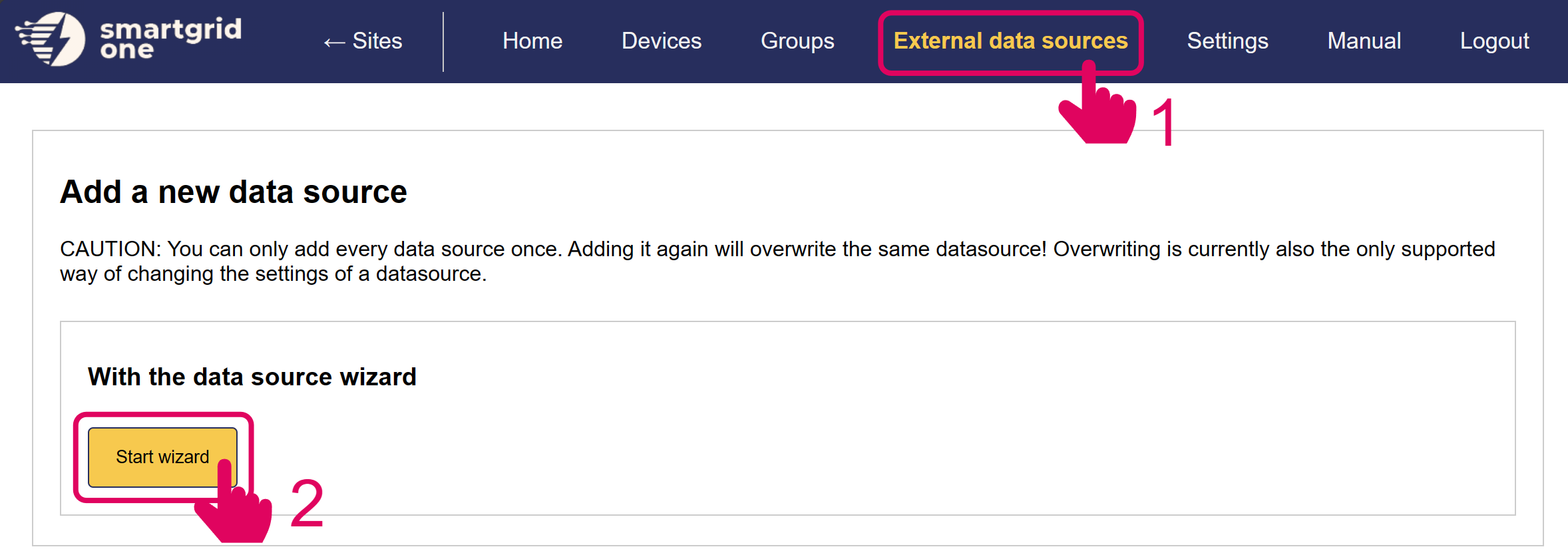
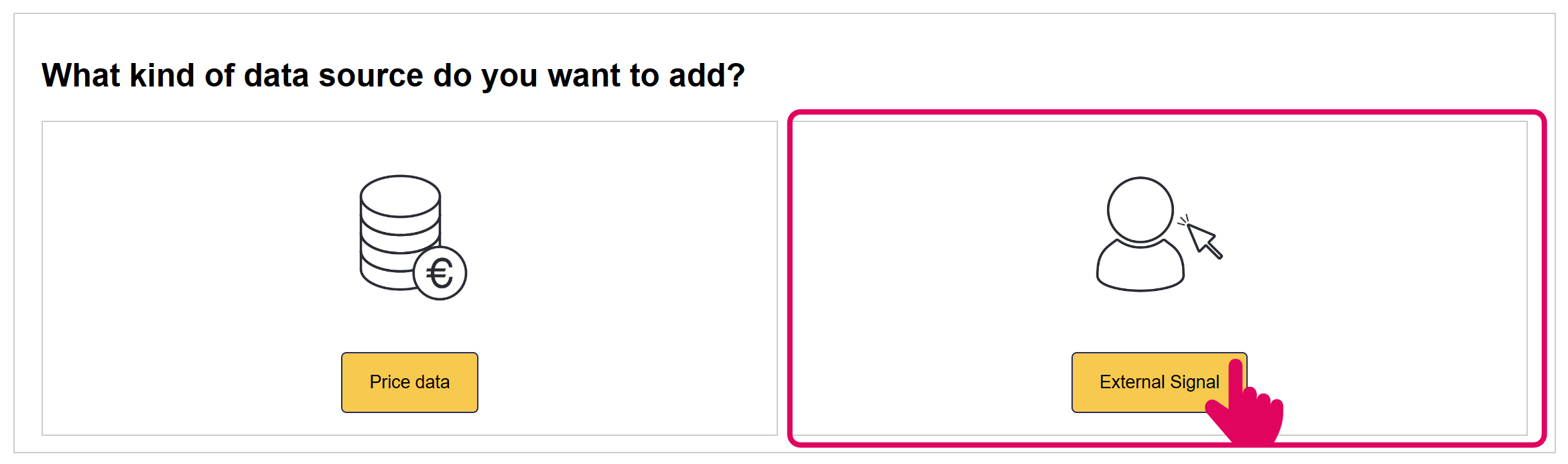

3. Fill in the parameters
The following parameters are customisable:
3.1 Interval Length
Type: integer
The length of the interval indicates the frequency of a new prediction point. This is generally set to 15 minutes or one hour, depending on the energy market.
3.2 Number of intervals
Type: integer
The number of intervals of the length set above. E.g. If 96 intervals of 15 minutes are created, we have predictions for the next 24 hours.
3.3 Creation format
The baselines can be created daily or at a fixed interval. These two formats have different use cases.
3.3.1 Daily
The baselines are created once a day, at a specific hour. This format allows you to select an activation hour- which is how long after creation the baseline becomes active.
E.g. A baseline is created at 9AM but only active on the next day, so the activation hour is set to 15h.
3.3.1.1 Creation Hour
Type: integer
The hour at which the baseline is created every day.
3.3.1.2 Activation Hour
Type: integer
The numer of hours after the creation hour the baseline is activated.
3.3.2 Fixed Interval
Baselines are generated at a fixed interval. Baselines are generated shortly before their activation time, and activated immediately. E.g. The baseline for the next hour is generated at :59.
3.3.2.1 Refresh Interval Type: integer
How often the baseline is regenerated. This is commonly set to 15 minutes, or one hour.
3.4 Refresh Parameter
Type: integer
A constant which specifies how long before the activation time we generate the baseline. Generally set to one or two minutes.
3.5 Follow Baselines
Type: boolean
If set to true, the devices follow the baseline that is generated. If set to false, the baselines are not followed directly. The baselines are instead used as a prediction, and followed as closely as possible. The device actions can deviate from the generated baseline, depending on uncontrollable realtime variables, such as PV prediction, uncontrollable loads and EV charging periods.
3.6 Custom Predictors (W.I.P.)
Customised prediction algorithms are used to create the baselines.
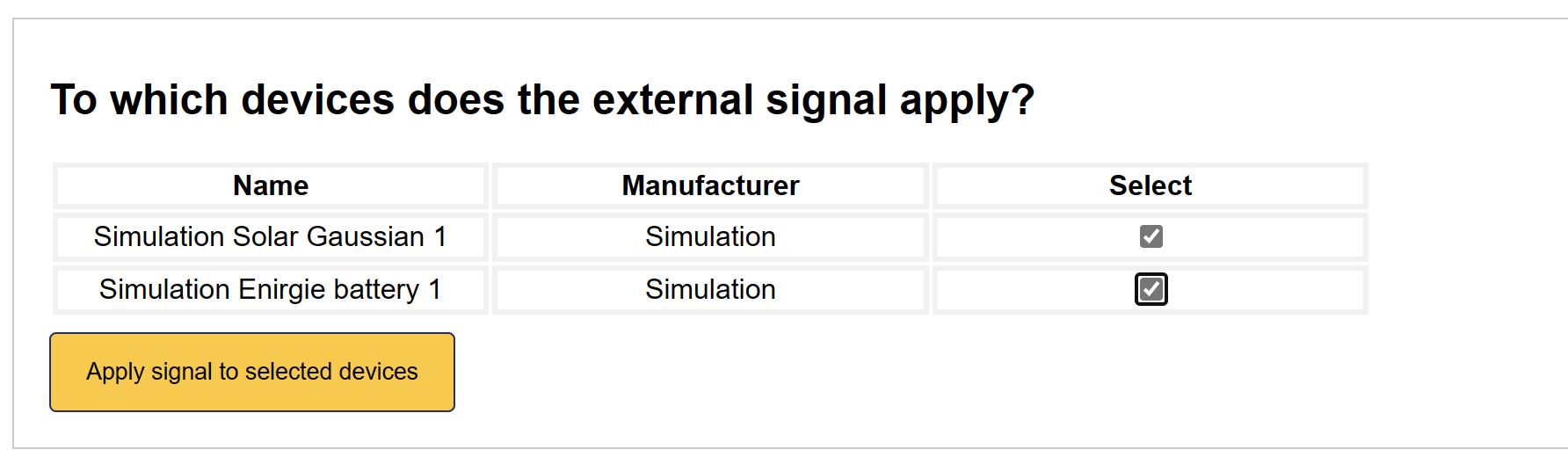
4. Enable the Baseline signal
Select all devices that you'd wish to include in MQTT Remote Control.
5. Baseline signal is added
The Baseline interface has now been activated on the SmartgridOne Controller.
We are now ready to continue. The Status column will raise any potential errors during setup.
3. Baseline Collection
Baselines can be fetched from the controller using MQTT.
The following topic is used to send a request to fetch the baselines:
standard1/rp_one_s/remoteBaselineMetrics/'controller SN'where <Controller SN> should be replaced with the serial number of the SmartgridOne Controller that is sending the feedback.
The following message format should be used to fetch baselines:
{
    "extraTags": {
        "nodeId": <Controller SN>_site_0>
    },
    "time": <Unix Timestamp>,
    "fields": {}
}
The following topic is used to receive baseline data:
standard1/outbound/remoteBaselineMetrics/feedback/<Controller SN>where <Controller SN> should be replaced with the serial number of the SmartgridOne Controller that is sending the feedback.
Baseline feedback is sent in the following format:
{
    "time": <Unix Timestamp>,
    "data": {
        "baseline": {
            "<Device Node ID>": [
                {
                    "endTimeUnix": "",
                    "power_W": ""
                },
            ],
        },
        "nextBaseline": {
            "<Device Node ID>": [
                {
                    "endTimeUnix": "",
                    "power_W": ""
                },
            ],
        },
        "error": {
            <Errors occured during execution>
        }
        "response_code": <Response Code>
    },
    "fields": {},
    "requestTime": <Unix Timestamp>,
    "time": <Unix Timestamp>,
    "siteNodeId": <Controller SN>_site_0>
}
4. Python demo script
Please download the file below in your preferred Python IDE. Fill in your serial number and MQTT-credentials and execute the script: