
Battery peak shaving
Note
Note
When peakshaving is used with batteries, the grid power is regulated to zero by default. This means that all excess self-generation goes to the battery, and any shortfall in generation when consumed is supplied from the battery.
Alternative threshold values can be set from which grid power the battery should charge or discharge.
Log in to the SmartgridOne Controller and go to Settings. If you switch the default working mode to "Peak shaving only" for batteries, then the following options will become available:
| Option | Impact |
|---|---|
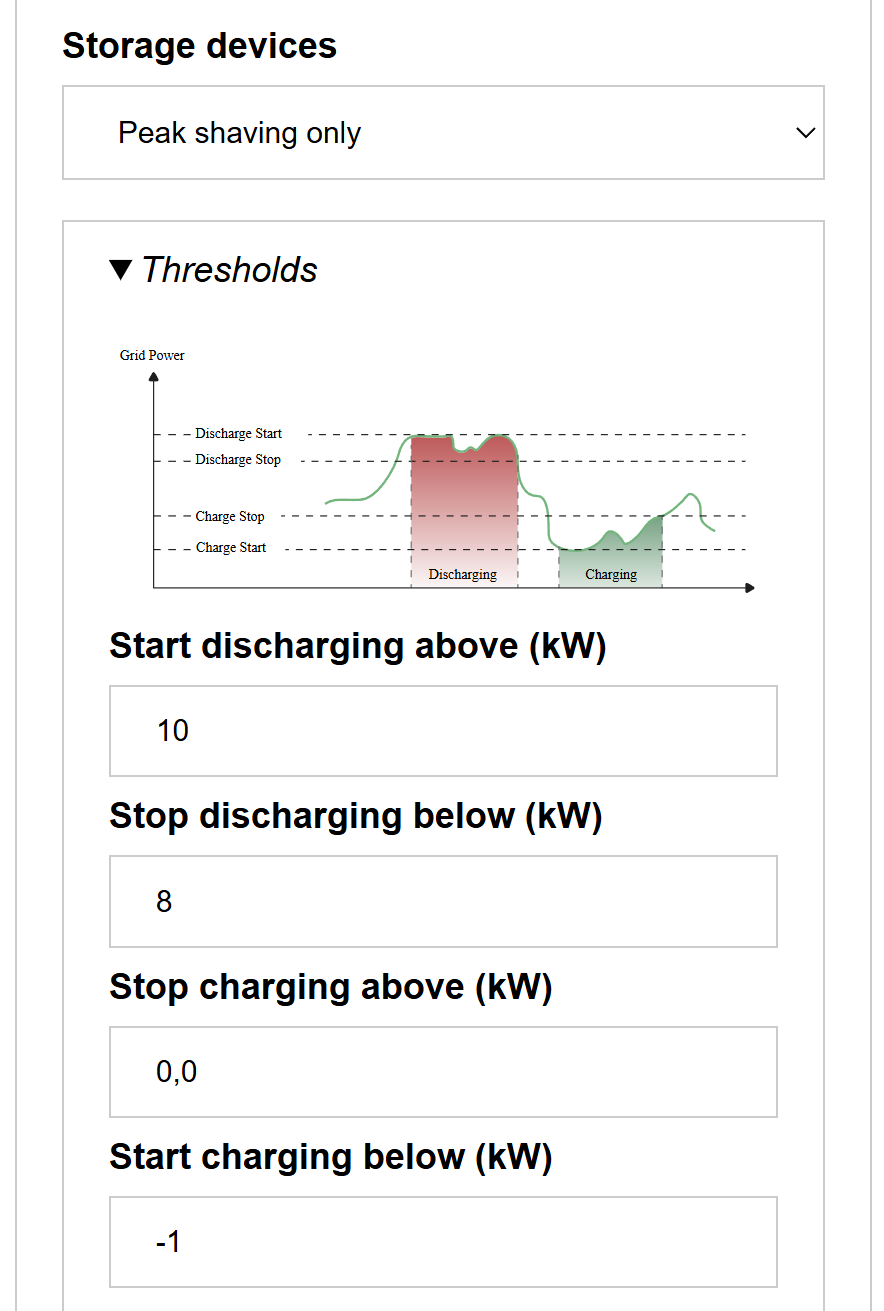
| Start discharging above (kW) | Grid power above which the battery will start discharging. The grid power is also tuned down to this power when discharging. |
| Stop discharging below (kW) | Grid power below which a battery that is discharging will stop discharging. |
| Stop charging above (kW) | Grid power above which a battery that is charging will stop charging. |
| Start charging below (kW) | Grid power under which the battery will start charging. The grid power is also adjusted to this power when charging. |
In the example on the image will:
- A battery starts discharging as soon as the grid power rises above 10kW.
- A battery that is discharging stop discharging as soon as the grid power drops below 8kW.
- A battery starts charging as soon as the grid power drops below -1kW (i.e., at 1kW feed-in)
- A battery that is charging stop charging as soon as the grid power rises above 0kW.
Tip
Tip
With a secondary control mode, only a partition of the battery is reserved for peak shaving and the rest is used for cost optimization or self-consumption. See Peak shaving plus.
Last updated September 13, 2026Edit this page